


From Digital Chaos to an AI-Powered Document Archive: My Paperless-ngx Setup

From Digital Chaos to an AI-Powered Document Archive: My Paperless-ngx Setup

Turn your digital document chaos into a smart, searchable archive. Discover how I installed Paperless-ngx on a Raspberry Pi, connected it to my Synology NAS, and used native AI features to automatically classify, tag, and organise documents. With Home Assistant-powered one-button scanning and automatic email imports, managing our family’s paperwork has become easier, more secure, and remarkably hands-off. A practical look at self-hosted document management, AI automation, and reclaiming time for things that actually matter.
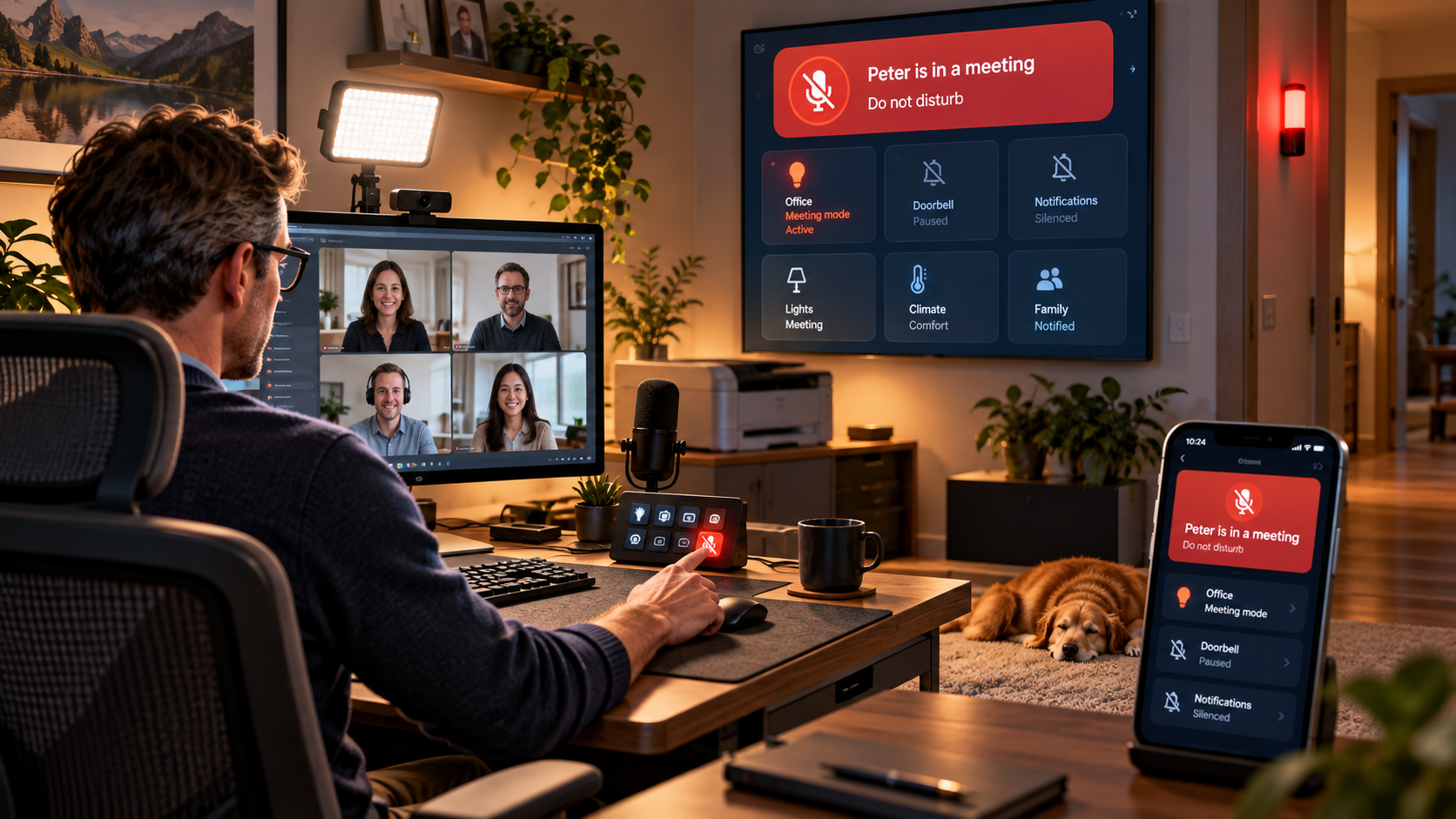
One Button Before Every Meeting: My Home Assistant Meeting Mode

One Button Before Every Meeting: My Home Assistant Meeting Mode

Working from home means video meetings, demos and customer calls are part of my daily routine. So I built a simple Home Assistant meeting mode that I can activate from a button on my Stream Deck. One press adjusts my office lighting, switches on the video light, silences distracting devices and announcements, turns off the printer, and shows my family that I am in a meeting through Home Assistant dashboards and a red status light outside my office. It is a small smart-home automation, but it makes my home office noticeably calmer and my meetings much more predictable.
Making My Scanner Actually Smart: From Touchscreen Menu Hell to One Button, AI and Email

Making My Scanner Actually Smart: From Touchscreen Menu Hell to One Button, AI and Email

I turned a frustrating multi-step printer workflow into a one-button smart home automation. Using Home Assistant, HACS eSCL scanning, a smart plug, Zigbee buttons, SMTP and OpenAI, documents are scanned automatically, intelligently named and sent by email or saved to Paperless. This post shows how the setup works and why it saves so much time.
Notifications in Home Assistant, But Smarter: The Script Pattern You’ll Wish You Used Earlier

Notifications in Home Assistant, But Smarter: The Script Pattern You’ll Wish You Used Earlier

Tired of copy-pasting notify.mobile_app_* actions across dozens of Home Assistant automations? In this post I’ll show a simple, scalable notification pattern that saves time now and frustration later: one reusable script per person (phone, work phone, tablet, whatever) plus group scripts for things like “the whole family”. You’ll learn how to pass message, title, and optional metadata cleanly, why the data object must always be a dictionary (and how to avoid the dreaded “Got None” error), and how this approach makes device changes painless because you only update notifications in one place. If you’ve ever replaced a phone and had half your alerts break, this setup will feel like a small superpower.
The AI-Augmented Solutions Consultant: 15 Ways LLMs Are Redefining Presales in 2025 (and Beyond)

The AI-Augmented Solutions Consultant: 15 Ways LLMs Are Redefining Presales in 2025 (and Beyond)

Discover how ChatGPT and Copilot are transforming the role of Solutions Consultants in SaaS presales. This in-depth 2025 guide explores 15+ real-world use cases—like AI-powered demo scripts, faster RFP responses, and smarter discovery prep—backed by the latest data on time savings, win rates, and deal acceleration. Whether you're a Solutions Engineer or presales leader, learn how AI tools are boosting productivity, reducing burnout, and helping teams deliver more value in less time.
Building My Ultimate Home IT Rack

Building My Ultimate Home IT Rack

Introduction For years, my home network was housed in an IKEA Besta cabinet—a budget-friendly solution that worked but had its limitations. The components sat loosely inside, with cables running everywhere, and the network was managed by an unmanaged switch and a FritzBox modem/router. It was functional but far from optimal. You can read about the journey of creating the cabinet to upgrading it in the two linked blog articles I wrote here and here. This year, I finally took the leap and upgraded to a proper wall-mounted 19” 15U rack, fulfilling a long-time dream. This new setup improves manageability, reliability,…
Recommended Docker Containers for Your Smart Home

Recommended Docker Containers for Your Smart Home

Managing a smart home can be incredibly rewarding — but it also comes with its share of complexity. Devices might occasionally become unresponsive, services may need optimization, and having the right tools at your fingertips can make all the difference. That’s where Docker comes in. In this post, I’ll walk you through some of the Docker containers I use to simplify smart home management and enhance my setup. Whether you're running Docker on a Synology NAS (like me), a Raspberry Pi, or even a dedicated server, these containers can save you time, improve system reliability, and make your smart home…

An honest view on buying and owning a Tesla

In recent years, Tesla has become a major player in the automotive industry, thanks to its electric vehicles which are known for their innovative features and cutting-edge technology. One of the latest additions to the Tesla family is the Model Y, an all-electric compact SUV that has quickly gained a reputation for being one of the most exciting and desirable cars on the market. As a proud owner of a Tesla Model Y, I can attest to the unique experience that comes with owning and driving this vehicle. In this article, I'll share my honest thoughts about the buying experience,…
Yet another Home Office Setup

Yet another Home Office Setup

In the recent weeks and months during the pandemic, I have seen many people sharing pictures of their home office setup to give others ideas about what works in certain scenarios and benefit from the experiences of others. I would like to tune into this and share my current home office setup - everything from the desk to the computer and camera. My Usecase The ideal setup does not exist. But if it does, it strongly depends on what you do at your desk. In my case, I am in online meetings most of the day - presenting our software…
Guest at Theiners SecurityTalk

Guest at Theiners SecurityTalk

This week I was a guest at Theiners SecurityTalk of the German Mittelstand. Though we used the wrong web conferencing tool ;) , if you ask me, it was a very fun talk about how LastPass addresses identity and access and how it can help organizations, even in these challenging times, to stay secure and remain in control. It was the first time for me in this sort of format but I enjoyed it very much. I think the result is an informative and entertaining 50 minutes with a lot of bits and nuggets many organizations can use to encompass…