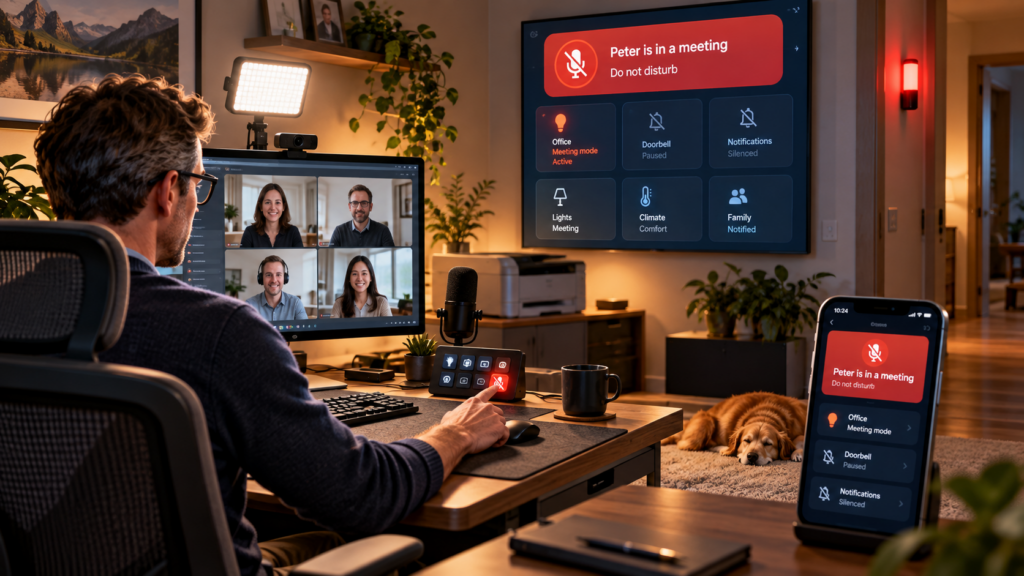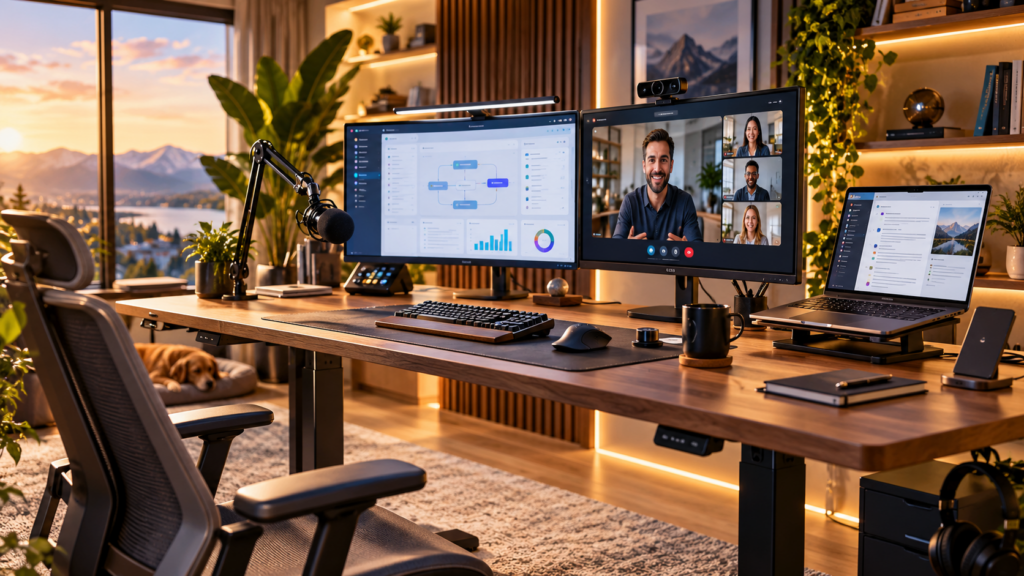

My home office can be as smart as it wants during a normal workday. The moment a customer meeting starts, though, I want it to become boring. No printer suddenly waking up next to me. No radio still playing somewhere in the background. No Home Assistant voice cheerfully announcing that the dishwasher has finished while I am halfway through a demo. I want the light to be right, the room to be quiet, and my family to know that this is probably not the best moment to open the door and ask where the scissors are.
As a Solutions Consultant, video calls are a substantial part of my working day. Some are internal, some are discovery calls, some involve demos where I really do not want to lose my train of thought halfway through explaining something. Over time I had already automated many individual parts of my office, but that still left me doing the same little ritual before meetings: check the light, stop the radio, make sure nothing noisy is about to happen and somehow signal to the rest of the house that I am busy. The obvious smart-home answer was to give Home Assistant one simple piece of information: Peter is in a meeting now.
One switch as the source of truth
The centre of the whole thing is almost disappointingly simple: an input boolean in Home Assistant. Mine is called “In Meeting Peter”. On my desk I have the same function mapped to a button on my Stream Deck, so immediately before a call I press one physical button instead of opening Home Assistant and hunting through a dashboard. I can also change the state from my office dashboard. The important part is that neither the Stream Deck nor the dashboard contains the actual meeting logic. They only change one state. Everything else reacts to that state.
I like this pattern because it keeps the user interface and the automation separate. If I replace the Stream Deck one day, the automation does not care. If I add another physical button, a voice command or some completely different trigger later, all of them can set the same meeting state. The house only needs to know whether that state is on or off.
A simplified and anonymized version of the main automation looks like this:
alias: Office meeting mode
triggers:
  - trigger: state
    entity_id: input_boolean.meeting_mode
    to: "on"
    id: meeting_on
  - trigger: state
    entity_id: input_boolean.meeting_mode
    to: "off"
    id: meeting_off

actions:
  - choose:
      - conditions:
          - condition: trigger
            id: meeting_on
        sequence:
          - action: scene.turn_on
            target:
              entity_id: scene.office_status_red
          - action: switch.turn_on
            target:
              entity_id: switch.video_light
          - action: switch.turn_off
            target:
              entity_id: switch.office_printer
          - if:
              - condition: state
                entity_id: light.office
                state: "on"
            then:
              - action: scene.turn_on
                target:
                  entity_id: scene.office_meeting
          - action: media_player.media_pause
            target:
              entity_id: media_player.office_speaker

      - conditions:
          - condition: trigger
            id: meeting_off
        sequence:
          - action: scene.turn_on
            target:
              entity_id: scene.office_status_green
          - action: switch.turn_off
            target:
              entity_id: switch.video_light
          - if:
              - condition: state
                entity_id: light.office
                state: "on"
            then:
              - action: scene.turn_on
                target:
                  entity_id: scene.office_focus

mode: restartThe real automation does a few things that I particularly like. The red meeting light is deliberately switched first, so the status outside my office becomes correct before anything less important happens. My dedicated video light is then switched on, the office radio state is disabled, the printer is powered down and the Sonos in my office is paused. If the office lighting is already on, Home Assistant activates my Hue “Meeting” scene with a five-second transition. If the office happens to be dark, it leaves it dark instead of turning the whole room on just because I changed the meeting state. That small distinction matters. A good automation should react to context, not bulldoze over it.
When I finish, the same switch reverses the important parts. The video light goes off, the status lamp changes back to green and, if the office lights are still on, my normal “Focus” scene returns. The automation runs in restart mode, which is useful for something I can toggle manually: if I change my mind quickly or accidentally press the button twice, the newest state wins instead of an old automation run continuing in the background.
The printer is not allowed to argue
The printer gets a little extra attention. It is powered through a Hue smart plug, and meeting mode switches that plug off immediately. I also have a separate guard automation. If the printer gets switched back on by my wife through Alexa or the app, while the meeting flag is active, Home Assistant turns it straight back off. My physical printer-control button is also only allowed to toggle the printer when I am not in a meeting. This might sound excessive until you have heard a laser printer start its cleaning routine two metres away while you are talking to a customer.
alias: Keep printer off during meetings
triggers:
  - trigger: state
    entity_id: switch.office_printer
    to: "on"
conditions:
  - condition: state
    entity_id: input_boolean.meeting_mode
    state: "on"
actions:
  - action: switch.turn_off
    target:
      entity_id: switch.office_printer
mode: singleQuiet does not have to mean disconnected
This is also where my definition of “muting notifications” is slightly more nuanced than simply enabling some global do-not-disturb mode. I do not want the house to stop telling me important things. I mostly want the office to stop talking. Home Assistant already knows the difference, because several unrelated automations use the same meeting boolean as a condition before they are allowed to make an announcement in my office.
The doorbell is a good example. When someone rings, Home Assistant still takes the camera snapshot, analyses what is visible and sends the push notification. Announcements can still happen elsewhere in the house. The office Sonos, however, only announces the doorbell when I am not in a meeting. The same idea appears in my coffee-machine automation. I can still receive the message that the machine is ready, but the office does not suddenly announce my coffee in the middle of a presentation. When the dishwasher finishes, the push notification still arrives and the kitchen can still announce it, while my office stays out of the conversation. Even the CO₂ warning follows this rule: the warning can still reach me visually, but the spoken reminder in the office is suppressed while meeting mode is active.
That pattern is easy to reuse. Any automation that wants to speak in the office simply checks the shared meeting state first:
if:
  - condition: state
    entity_id: input_boolean.meeting_mode
    state: "off"
then:
  - action: script.office_announcement
    data:
      message: "There is something you should know about."
else:
- stop: "Meeting active - skip the office announcement" There are other small dependencies I had almost forgotten about until looking through the complete configuration. My office blind automation also checks the meeting state in the evening. If the normal time for changing the blinds arrives while I am still in a meeting, it waits for the meeting to finish before continuing, with a timeout as a fallback. And if I switch the whole office off from the wall while meeting mode is still active, the office shutdown routine clears the meeting state first. That prevents me from leaving behind a red light in the hallway for the rest of the evening because I forgot to press the Stream Deck button again.
A meeting status for humans, not just automations
The other half of the idea has nothing to do with controlling equipment. Home Assistant also tells the people around me what is going on. When meeting mode is active, a red badge appears on our wall-mounted family dashboard. The same state is visible on the dashboards used by my family on their mobile devices. The wording is adapted slightly depending on the dashboard: my main dashboard simply tells us that Peter is in a meeting, my daughter’s dashboard makes it very clear that Dad is in a meeting and asks for a little quiet, and the family dashboard shows a red “please do not disturb” style message. The badges only exist while meeting mode is active, so the rest of the time they disappear completely.
This is the part that probably creates more value than some of the technically cleverer automation. Nobody has to remember whether my door is closed because I am concentrating, because I am cold, or because I am talking to a customer. Nobody needs to open Home Assistant and inspect a switch. The information is simply where the family already looks for other household information.
type: entity
entity: input_boolean.meeting_mode
name: "Peter is in a meeting - please do not disturb"
icon: mdi:video
color: red
show_name: true
show_state: false
tap_action:
  action: none
visibility:
  - condition: state
    entity: input_boolean.meeting_mode
state: "on" Sometimes a red light is better than another app
And then there is the most obvious part of the whole setup: the actual red light in front of my office. Home Assistant uses a Hue scene for it. Meeting on means red, meeting off means green. There is something wonderfully primitive about this compared with all the dashboards, automations and conditions behind it. You walk past the office, see red and know what it means. No phone required.
From a smart-home perspective, I like that because the automation is communicating in two different ways at the same time. The dashboards provide context, while the light works from a distance and takes about half a second to understand. It is similar to the status light outside a recording studio, just connected to Home Assistant and therefore able to influence everything else in the house as well.
The smart-home nerd and the Solutions Consultant agree on this one
The smart-home nerd in me likes the architecture. One simple boolean represents a real-world state and a collection of otherwise unrelated automations can make their own decisions based on it. The lighting automation uses it. The printer uses it. The Sonos announcements use it. The dashboards use it. Even the blinds and the office shutdown logic know about it. I do not need one gigantic automation that tries to control the entire house.
The Solutions Consultant in me likes something much simpler: I press one button and stop thinking about the room. My camera lighting is prepared, the things around me become quiet and the family gets a clear signal that I am busy. There is no pre-meeting checklist and no need to shout “I have a call now!” through the house five seconds before Teams connects. That last part is probably the biggest improvement. Home working with a family is much nicer when technology quietly removes those small points of friction instead of creating new ones.
When the meeting ends, I press the same Stream Deck button again. The red light becomes green, the video light switches off and my normal office lighting returns. Home Assistant starts talking to me again. The house goes back to normal, and I can finally be informed that the dishwasher finished twenty minutes ago.